
How to Assess Smart-Home Device Compatibility Before You Buy
A practical guide to cutting through the confusion of Matter, Thread, Zigbee, and platform ecosystems so your smart plugs, bulbs, and sensors work together reliably.
Smart Home & Hardware Editor
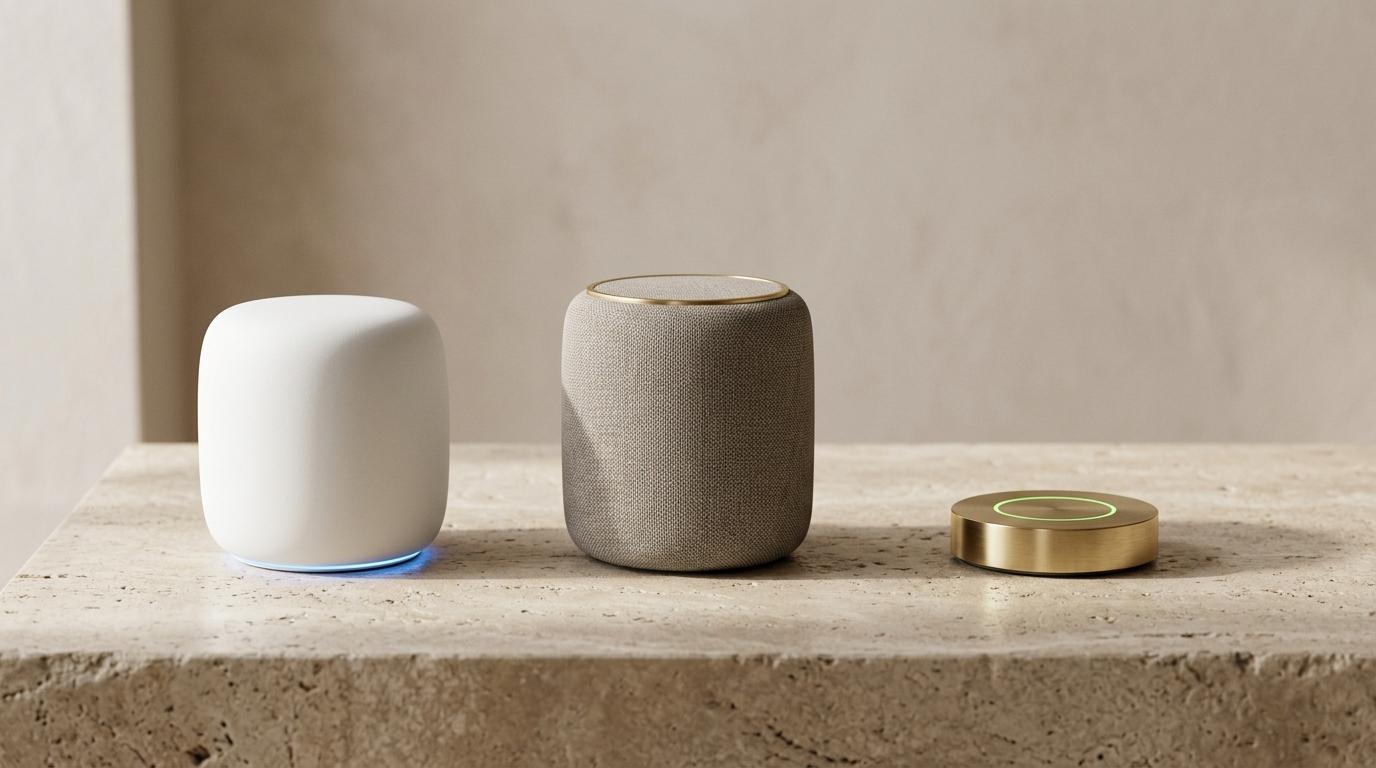
Minimalist smart home devices on a stone surface with subtle blue and green LED illumination
Table of Contents (7 sections)
Buying a smart-home accessory used to feel like playing a high-stakes guessing game. You found a smart plug with great reviews, brought it home, and discovered it only worked with an obscure proprietary mobile app—or that it required a proprietary bridge plugged directly into your Wi-Fi router.
The industry promised that Matter would fix this forever. While Matter has made significant progress since its launch by the Connectivity Standards Alliance (CSA), real-world compatibility still confuses even tech-savvy shoppers.
This guide breaks down exactly what you must check on the box or product listing before spending money, so your connected devices communicate smoothly across Apple Home, Google Home, Amazon Alexa, and Samsung SmartThings.
1. Understand the Difference: Protocol vs. Standard
The single most common mistake buyers make is confusing the wireless communication method with the universal smart-home language.
To make an analogy:
- Wi-Fi, Thread, and Zigbee are the roads your data drives on.
- Matter is the common language spoken by the drivers.
| Wireless Technology | How It Connects | Best For | What You Need |
|---|---|---|---|
| Wi-Fi | Directly to your home router (2.4 GHz band) | Video doorbells, security cameras, smart plugs | Strong home Wi-Fi network |
| Thread | Low-power, self-healing mesh network | Door sensors, light bulbs, smart locks | A Thread Border Router |
| Zigbee / Z-Wave | Low-power proprietary mesh | Legacy sensors, specialized switches | A dedicated manufacturer hub |
If an accessory says "Works with Matter over Thread," it uses the battery-efficient Thread mesh for transmission, and the Matter protocol so Apple, Google, and Alexa can all control it simultaneously.
2. Do You Already Have a Thread Border Router?
Thread devices cannot talk directly to your home Wi-Fi router without a translator. That translator is called a Thread Border Router.
Fortunately, many modern smart speakers and streaming boxes already have a Thread border router built inside:
- Apple: Apple TV 4K (Wi-Fi + Ethernet model from 2022 or later), HomePod (2nd Gen), HomePod mini.
- Google: Nest Hub (2nd Gen), Nest Hub Max, Nest Wifi Pro (Wi-Fi 6E).
- Amazon: Echo (4th Gen), Echo Show 8 (3rd Gen), Echo Show 10, eero 6 / Pro 6 routers.
- Samsung: SmartThings Station, SmartThings Hub v3.
[!NOTE] If you purchase a "Matter over Thread" contact sensor or smart lock, ensure you own at least one active border router from the list above. If you do not, the device cannot join your network.
3. Why Matter Version Numbers Matter
Matter evolves through biannual specification releases. When Matter 1.0 debuted, it only supported basic device types: light bulbs, smart plugs, thermostats, and simple sensors.
Recent updates (Matter 1.2 through Matter 1.4) added support for:
- Robot vacuums (cleaning modes, dock status, room targeting).
- Refrigerators and laundry appliances (temperature alerts, cycle completion).
- Air quality sensors and smoke alarms.
- Energy management and EV chargers (real-time wattage reporting).
If you are buying a complex device like a robot vacuum cleaner or home heat pump, verify whether your preferred mobile platform (e.g., Apple Home or Google Home) has implemented that specific Matter device class in their latest software update. A device may support Matter on paper before your smartphone platform updates its app to display the controls.
4. Local Control vs. Cloud Dependence
The greatest practical benefit of a certified Matter device is local communication.
When you tap your phone to turn off a bedside lamp, the signal travels directly through your local home network to the device. It does not ping a server in another country.
Why local control is essential:
- Zero latency: Lights respond in milliseconds rather than seconds.
- Internet outage resilience: Your switches and sensors continue functioning even if your broadband connection goes down.
- Longevity protection: If the device manufacturer goes out of business or shuts down its cloud servers, your hardware does not become an expensive paperweight.
Before buying, inspect whether the device requires an active vendor account and persistent cloud connection for basic daily operation. True Matter compliance guarantees local control for core features.
5. The Pre-Purchase Checklist
Before clicking "Add to Cart," run through these four verification steps:
- Check for the Official Matter Logo: Look for the three-point rounded triangle Matter badge on the packaging. Avoid generic claims like "smart compatible" that lack the official certification mark.
- Identify the Radio Type: Is it Matter over Wi-Fi (which can crowd older 2.4 GHz routers) or Matter over Thread (which requires a border router)?
- Verify Multi-Admin Support: Matter enables "Multi-Admin," meaning an iPhone user and an Android user in the same household can control the same light bulb from their respective native apps. Confirm that the product does not restrict multi-admin pairing behind a paid subscription.
- Check Physical Dimensions: For in-wall smart switches and outdoor plugs, measure your electrical wall box depth. Many first-generation smart switches are bulky and difficult to seat inside older junction boxes.
The Bottom Line
You do not need to replace every functioning gadget in your house to build a cohesive smart home. For new purchases, prioritize Matter over Thread for low-power sensors, door locks, and lighting. Keep bandwidth-heavy devices like security cameras on dedicated Wi-Fi, and confirm that you have at least one modern smart hub acting as a Thread Border Router.
Verified Primary Sources & Citations
NextTechExplained verifies facts against official documentation, engineering whitepapers, and regulatory filings.
- Connectivity Standards Alliance — Matter Specification & Device DirectoryView Official Source
- Thread Group — Thread Border Router ArchitectureView Official Source
- Apple Support — Set up your HomePod, HomePod mini, or Apple TV as a home hubView Official Source
Written by Marcus Vance
Smart Home & Hardware Editor at NextTechExplained
Contributor to NextTechExplained focusing on consumer computing hardware, laptop processor architectures, networking standards, and smart home connectivity.
Related Explanations & Guides

What to Check Before Enabling On-Device AI Features on Your Phone
From automated call transcripts to generative writing tools, modern smartphones are packing artificial intelligence into everyday apps. Here is how to verify what stays private.
How to Compare Laptop Processors in 2026: NPU, Architecture, and Real Battery Life
Choosing a laptop used to be a simple duel between Intel and AMD. Today, with ARM architecture, Apple Silicon, and dedicated neural processors (NPUs), here is what actually matters for daily performance and battery endurance.
How to Audit and Lock Down App Permissions on iOS and Android
A step-by-step security walkthrough to stop apps from tracking your location in the background, eavesdropping on your local network, or scanning your entire photo library.